
How to know when a patient has arrived
There are two ways to know when a patient has arrived:
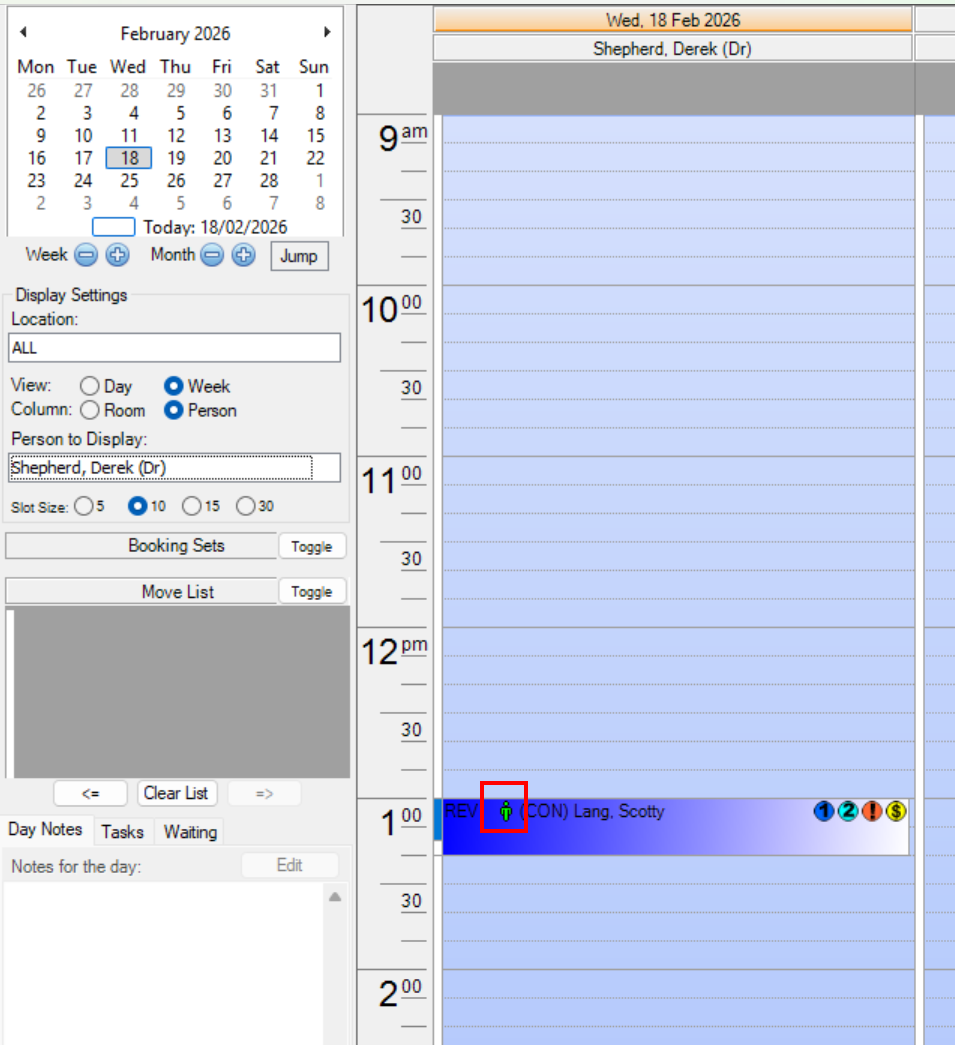
- You can check the Diary screen for the green arrival icon on the left-hand side of bookings:
- You will receive an arrival alert via HealthTrack Messenger, if you do not have the setting for arrival alerts disabled:
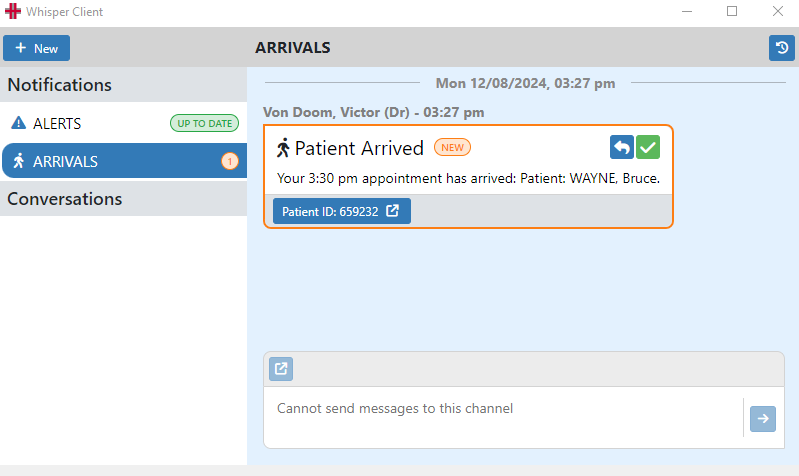
Accessing HealthTrack Messenger: Navigate to Practice Wide > Whisper Messenger.
You can configure HealthTrack Messenger to open at startup via File > User Preferences.
In the patient arrival message, you can open the associated patient by clicking the Patient ID button. This will open the patient in the main HealthTrack window.
| To acknowledge the message, click the green tick. This will remove it from the channel. |
|
|---|---|
To reply to the staff member that marked the patient as Arrived, click the blue reply button next to the green tick. This will open a reply box. Type your message in the reply box and press the Enter key on your keyboard or click the send button to the right. |
|
| To view the previously acknowledged Patient Arrivals, click the View Arrivals History icon at the top right. To hide the history, click the button again. |
|


You can configure the behaviour of HealthTrack Messenger at File > User Preferences
The default behaviour for Patient Arrival Notifications for each user can be customised in two places:
- Admin > Internal MO > Manage Internal MOs and change the Patient Arrived Alerts setting in the bottom in the bottom left.
- Admin > Staff Directory by selecting the View button next to the user’s name to change the Patient Arrived Alerts setting.