
How to log a patient discussion
The Discussions tab is used to document patient interactions such as notes, emails, phone calls, and in-person conversations. In hospital environments, it is most commonly used for recording nursing end-of-shift handover notes.
Each discussion is a single, dated entry recording one contact about the patient, with a type (Note, Email, Call or In-Person), a direction (In or Out), a duration, the staff member who recorded it, and an optional link to a clinical record.
The Discussions tab is a per-patient contact log, not a chat or messaging tool. It is separate from HealthTrack Messenger and is not a multidisciplinary meeting thread. There are no reply threads and no participant list, and saving a discussion does not notify anyone or create a task.
Logging a discussion
- On the patient's Discussions tab, select the New button at the bottom of the screen.
- A Duration timer begins immediately and counts the length of the contact, which is helpful when logging a call.
- In the top-right of the screen, complete the fields for the entry:
- Synopsis - a short summary of the contact.
- Contact type (In/Out) - the direction of the contact. Use In for a contact you received (for example, an incoming call) and Out for one you made.
- Interaction type (Note/Email/Call/In-Person) - the kind of contact being recorded.

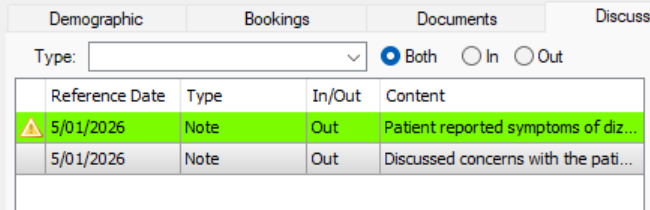
The High Importance checkbox can be selected to flag the note by highlighting it green and adding a Warning icon when viewing it in the Discussions tab.
Linked Records
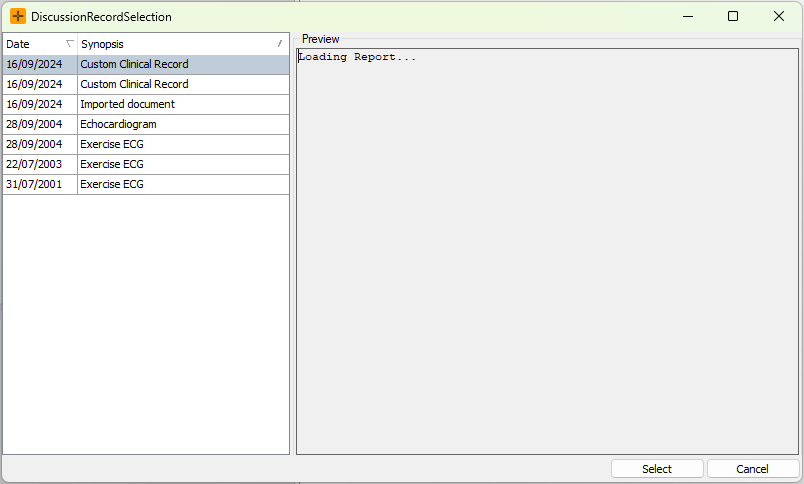
The Linked Record option can be used to link an existing clinical record to the discussion.
- In the right-hand side of the Discussions screen, select the Edit button next to the Linked Record field.
- This opens the DiscussionRecordSelection screen, where you can select a record to link.
Editing and amending
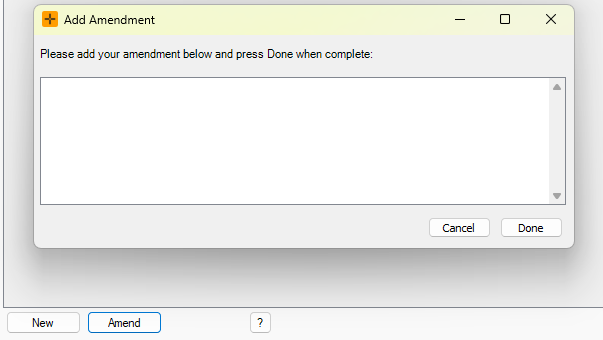
Once created, a discussion can be edited for 24 hours by the user who created it. After 24 hours, the entry is locked and changes can only be added as an amendment using the Amend button at the bottom of the screen. An amendment is appended to the existing entry rather than replacing the original text.
Users who have the amend permission can amend a discussion at any time, including entries created by other staff. Discussions cannot be deleted after 24 hours.
Printing Discussions
There are three options available for printing Discussions:
- The Print button under the preview tab on the right will print the record currently being previewed.
- The Print All button in the bottom left will print a list of all records.
- The Print Selected button becomes available when filters are applied and prints all records matching the filters specified.