
Viewing a Bookings history
The Booking Audit History shows how a booking got to where it is - who changed it and when. You open it from the booking itself.
-
Select the booking to open the Booking Form screen.
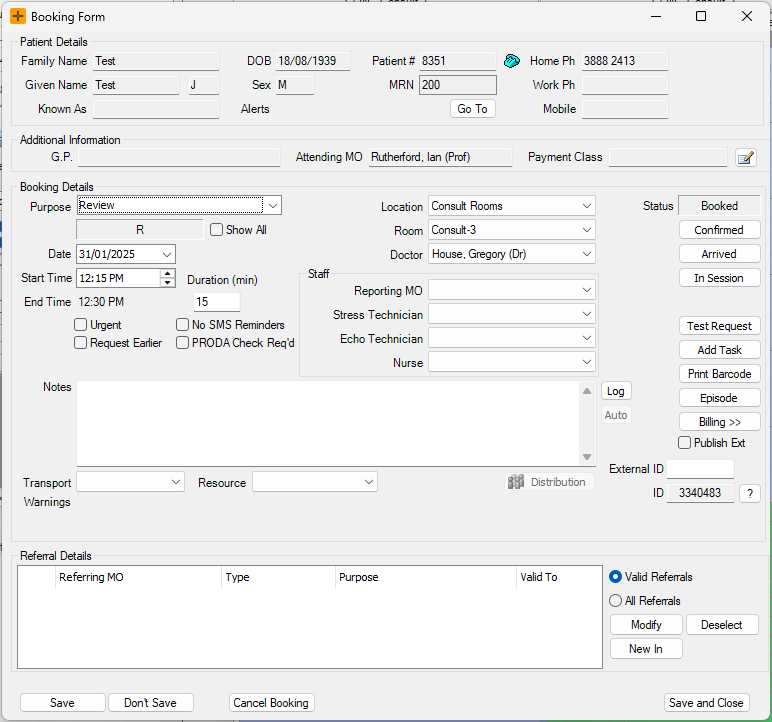
- Select the ? icon on the right-hand side of the screen.
-
This opens the Booking Audit History screen, where you can view the history of the booking.
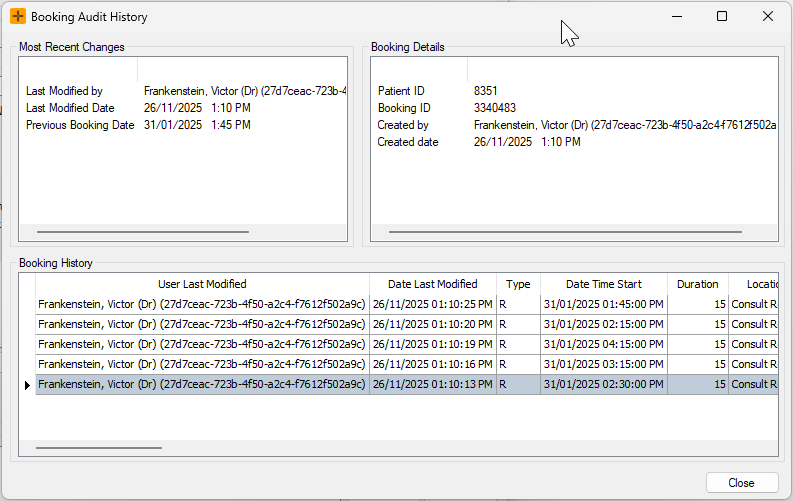
The note text on a booking is not audited. The history records that a note was attached, but not the wording of the note itself.