
How to cancel a Booking
- Navigate to Diary > Open Diary. Shortcut: press
CTRL+D. - Select the booking.
-
Select the Cancel Booking button at the bottom of the booking form.
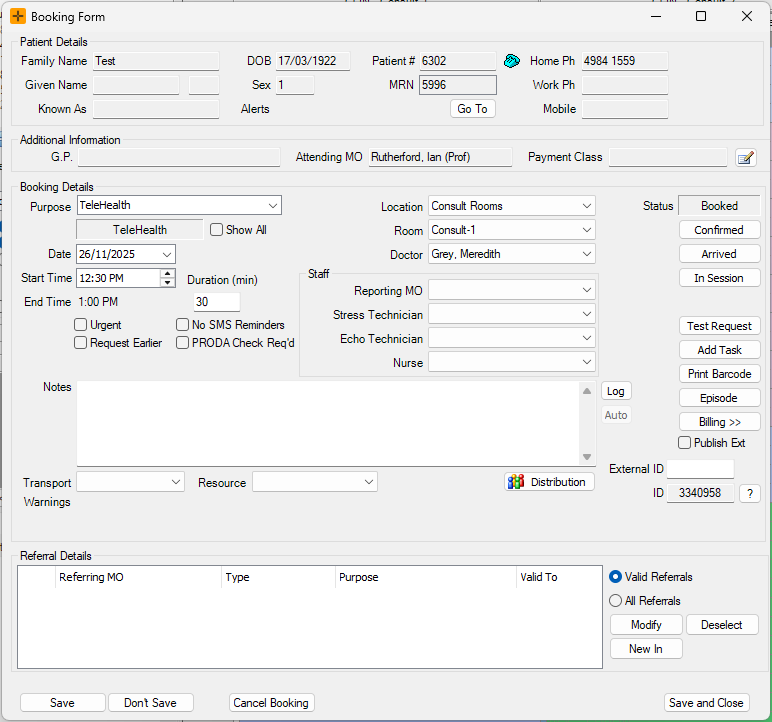
-
A Confirm Cancellation dialog will appear.
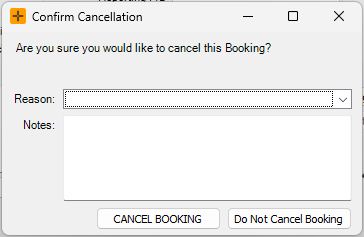
- Select a cancellation reason from the drop-down list and add any relevant notes.
- Select Cancel Booking.
Some booking types require a cancellation reason. For those bookings the Cancel Booking button in the dialog stays greyed out until you choose a reason from the drop-down list. If the dialog did not ask you for a reason, that booking type does not require one.
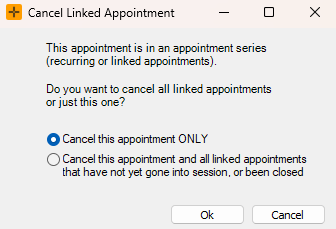
If the booking is part of a linked group, HealthTrack asks whether to cancel this booking only or all of the linked bookings. The cancellation reason is copied to every booking you cancel.
What happens when you cancel
Cancelling does not delete the booking from HealthTrack. The booking is marked as Cancelled, the Diary slot is freed for someone else, and the booking stays on the patient's record with the reason, the date and the user who cancelled it. Cancelled bookings are hidden in the Diary by default, but they are still there:
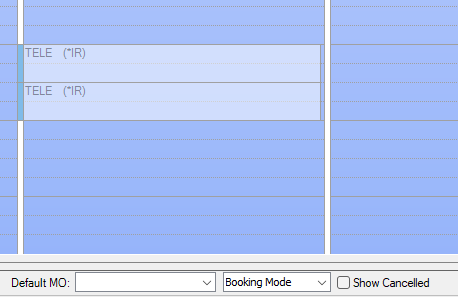
- To see them in the Diary, select the Show Cancelled checkbox in the bottom tab of the Diary screen. Cancelled bookings display in their normal colours and cannot be changed or moved.
- To search for them, right-click in the Diary and select View Patient's Bookings, then filter by the Cancelled status.
A cancelled booking cannot be restored. There is no un-cancel in HealthTrack. If a booking was cancelled by mistake, make a new booking for the patient. The cancelled booking stays on the record as history.
If the booking type is set up to send SMS messages, cancelling the booking can send a cancellation notice to the patient. Booking types without SMS set up send nothing.
Too many cancellations warning
Every cancellation adds to the patient's cancellation count. Once a patient passes the practice's threshold, staff see a warning when making future bookings for that patient. This is a warning only; it does not block the booking.
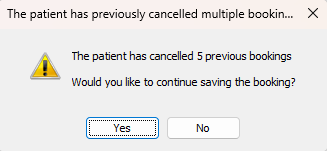
The practice-wide threshold for cancelled bookings can be configured via Admin > Maintenance > System Settings. Edit the MaxNumberOfCancelledBookings property in the BookingForm section.
Bookings that cannot be cancelled
A Closed booking cannot be cancelled. If you need to correct a closed booking, speak to your practice manager about the billing side first, as closing is tied to the visit's billing.