
How to find the next available Booking
In HealthTrack, you can quickly locate the next available booking slot for a patient. Searches can be filtered by Booking Type, Attending MO, and Location.
Where availability comes from
The search only looks at published diary template slots. A time is "available" when a diary template slot exists for that booking type, doctor and location, and no other booking already overlaps it in the same room.
If no diary templates have been published for the combination you are searching, the search will find nothing, even if the diary looks empty at that time. Templates are the only source of availability. The search never offers unpublished time.
Finding the next available booking
- Open the Find Booking screen in one of two ways:
- Navigate to Diary > Find next available booking.
- Open the Diary (shortcut:
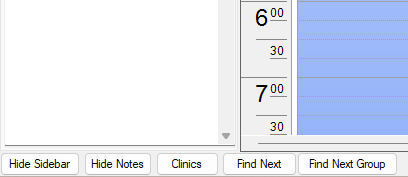
Ctrl+D) and select the Find Next button at the bottom left-hand side of the screen.
- The Find Booking screen opens, displaying the patient you currently have open.

- Populate the Booking Type, Attending MO, and Location fields as required.
At least one of these fields needs to be specified to run the search. For example, all 3 fields cannot be selected as 'All'.
- Select the required start date from when you would like to begin the search.
- Matching slots are listed earliest first, showing the date, time, duration, booking type, doctor, location and room.

Template slots that have no doctor assigned are hidden unless the include-bookings-with-no-doctor option is selected. If a slot is visible in the diary but missing from the search, check this option first.
How far ahead the search looks
The search runs in 4-week blocks. The end date is always 28 days after your chosen start date, and the arrow buttons page the window forward or back 28 days at a time. No single search can look more than 12 weeks ahead of the start date.
There are no time-of-day or day-of-week filters. If a patient wants "the next Tuesday afternoon appointment", find candidate slots with the search and check the times manually.
Booking from the results
- Double-click a slot in the results to open a pre-filled Booking Form. The date, time, booking type, duration, location, room, doctor and the current patient are carried across.
- Complete the booking as normal. When you close the Booking Form, the search refreshes automatically.
You can also right-click a result to jump the diary to that slot instead of booking it straight away.
Troubleshooting: "No appointments found"
| What you see | Likely cause | What to check |
|---|---|---|
| No results at all | No diary templates published for that booking type, doctor or location in the next 28 days | The diary templates for that combination |
| The diary shows free time but the search does not | The time is not published as a template, or the slots have no doctor assigned and the no-doctor checkbox is not selected | Templates in the diary |
| Results disappeared over time | The template slots have been booked. A slot with an overlapping booking in the same room is excluded | The diary for those dates |
| Two users get different results with the same filters | Results are filtered to the locations each user is allowed to see | Each user's location security settings |
| The search is very slow | Searching 'All' doctors and 'All' locations at once is the slowest path | Narrow the filters and search again |
Why does the online booking portal show fewer appointments?
The online booking portal uses the same availability search, but applies extra filters on top:
- Only booking types, doctors and locations that are enabled for online bookings are shown.
- A booking cutoff pushes the earliest offered slot further out.
- The number of results returned is capped.
This means a slot that is visible in Find Booking can legitimately be absent from the online portal. If a doctor or appointment type is missing online entirely, the usual cause is the same as an empty desktop search: no published diary templates, or the doctor, type or location is not enabled for online bookings.