
How to add Public Holidays
The Public Holidays Manager allows you to enter any public holidays into the diary in HealthTrack.
- Navigate to Admin > Diary & Booking > Public Holidays.
- In the Public Holidays Manager screen, select
New Holiday.
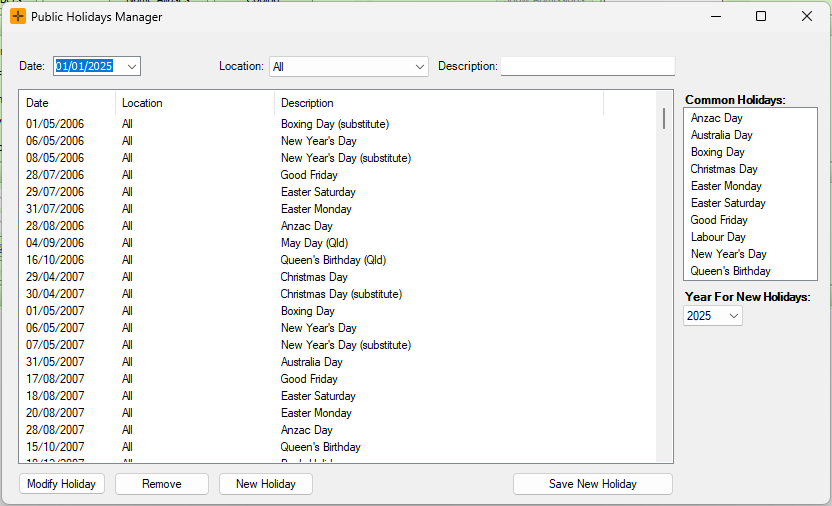
- Populate the 'Date', 'Location' and 'Description' fields as required.
- Select
Save New Holiday.
You will need to restart HealthTrack to view the newly added public holiday/s.
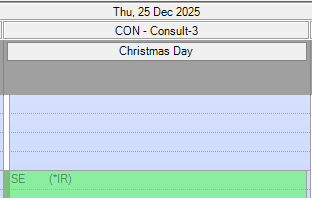
Once a public holiday is added, it will appear at the top of the day in the diary with the public holiday name.
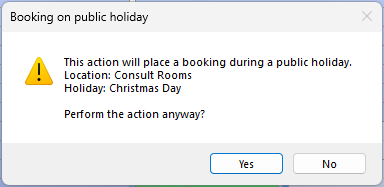
Additionally, when a booking is created on the public holiday, a warning will appear to notify you of the holiday.
How to modify an existing Public Holiday
- In the Public Holidays Manager screen, select the Holiday and press
Modify Holiday.
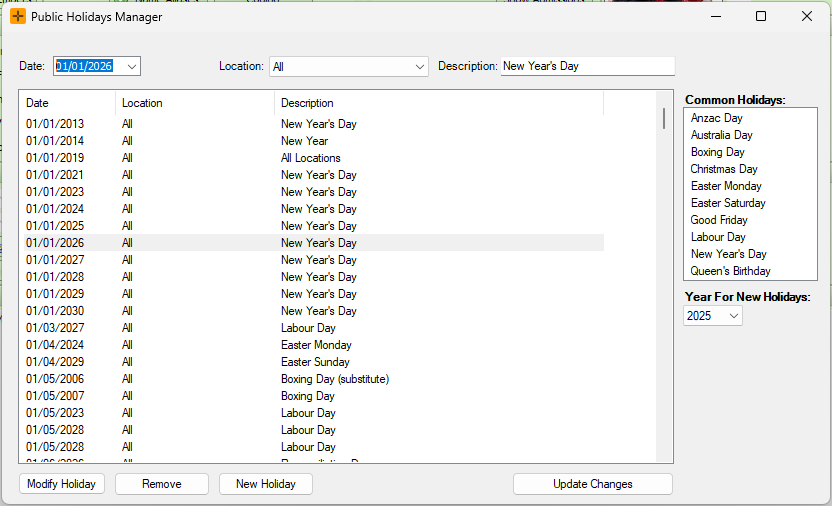
- Update the fields as required.
- Select
Update Changes.