
How to add a procedure to a patient
The Procedures section on the Clinical Summary Tab will list any procedures recorded for the patient that are marked as Current. There are two methods by which a new procedure can be added to a patient's file in the Clinical Summary tab: via the Procedures section or via the Clinical Notes section.
Adding via the Procedures section
- Navigate to the 'Procedures' section in the Clinical Summary tab.
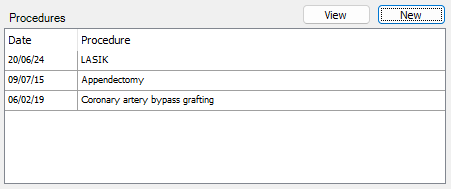
- To add a new procedure to the patient, select New.
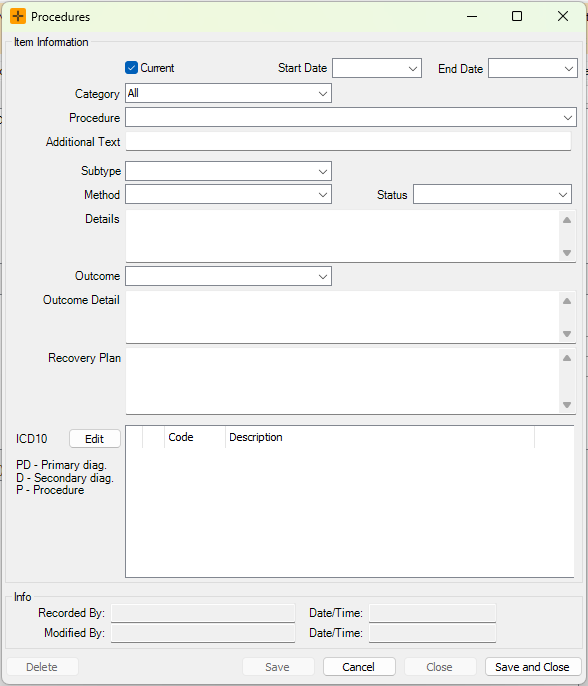
- In the Procedures screen, choose from the Procedure drop-down list, and/or enter the details in the Additional Text field.
- Select the appropriate Start and End Date for the procedure.
- Fill in any further required information and select Save and Close.
Adding via the Clinical Notes section
- Navigate to the 'Clinical Notes' section in the Clinical Summary tab.
- Select New.
- To add a new procedure to the patient, select the Procs button in the Consultation Notes section.
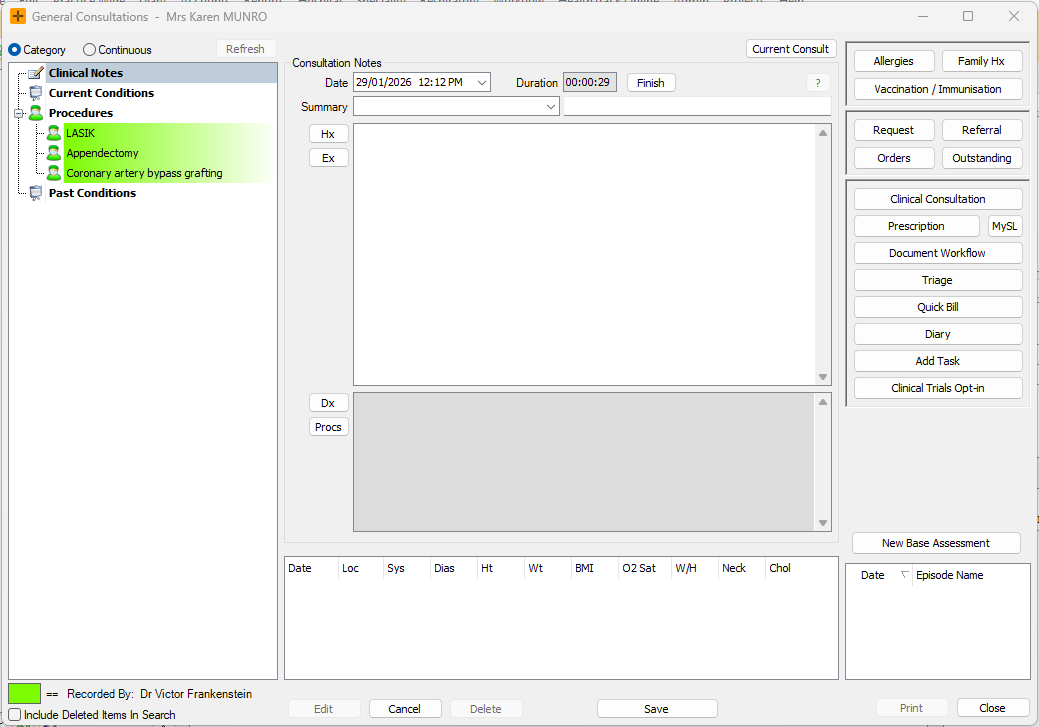
- Populate the details as required in the Procedures screen that opens and select Save and Close.
Coding a procedure
You can attach a diagnosis code to a procedure so it is recorded consistently and can flow into letters, reports and outbound messages.
Each site has a default coding set for procedures, so the picker usually opens on the right terminology without any extra setup. If the code you expect is not available, the coding set may need adjusting in your site's settings.
If you'd like to amend or add to the list of currently coded procedures, contact HealthTrack Support for assistance.
Where procedures show
Only procedures marked as Current appear in the following places:
- the Procedures section of the Clinical Summary tab
- letters that pull procedures through merge fields
- printed clinical summaries and reports that include procedures
When a procedure is no longer current, it stops showing in these places but is not removed. Resolved and inactive procedures still appear (shown in italics) in the full list of procedures for the patient.