
How to sms or email a patient
Use the Send SMS button on the patient's Demographics screen to send a one-off SMS directly from HealthTrack. Sent and received SMS messages are stored against the patient and can be reviewed at any time. You can also start an email to the patient from the same screen, but the email is written and sent from your own mail program rather than from HealthTrack.
Send an SMS to a patient
The patient must have a mobile number recorded in their file. HealthTrack sends the SMS immediately on confirmation.
- Open the patient's record and go to the Demographics tab.
-
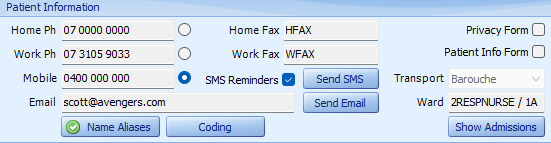
In the Patient Information section, click Send SMS.
-
The HealthTrack Message dialog opens. Enter your message in the message field.
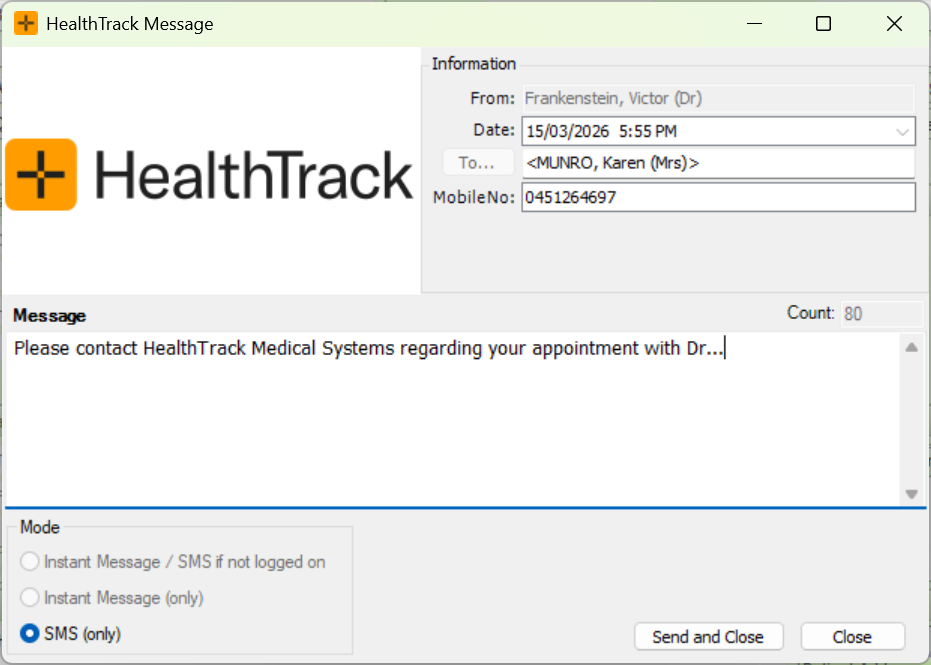
- Click Send and Close.
The one-off SMS is a free-text message. It does not use message templates, and it does not check the patient's automated SMS consent setting. If a patient has asked not to receive text messages, check their contact preferences before you send.
Send an email to a patient
The patient must have an email address recorded in their file so that the email can be addressed.
- In the Patient Information section of the patient's Demographic screen, select the Send Email button.
-
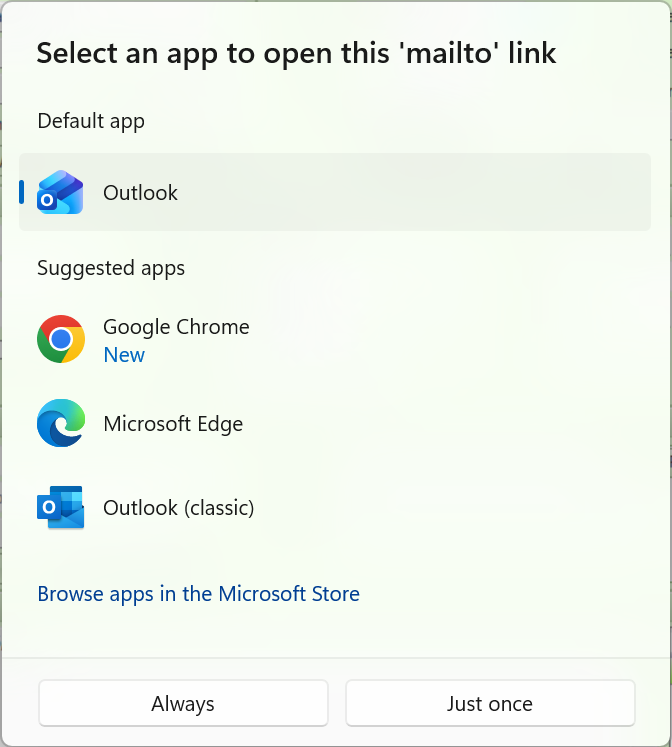
A dialog displays for selection of the preferred mail app.
- Enter the email in the selected app and click Send.
The email is written and sent from your own mail program (for example Outlook), not from HealthTrack. HealthTrack does not keep a copy of the email, and it will not appear in the patient's message history. Keep this in mind if you need a record of the communication in HealthTrack.
Reviewing sent messages
HealthTrack saves sent SMS messages automatically, along with any replies from the patient. For instructions on viewing them, review our article: How to view messages sent to a patient.
Only SMS messages appear in the message history. Emails sent through your mail program are not recorded in HealthTrack.
HealthTrack records that an SMS was sent, but delivery receipts are not stored. The message history confirms a message was sent, not that it arrived on the patient's phone.
If a patient says they did not receive an SMS, check the message history first. A message that cannot be sent is retried for up to 2 days and then removed from the queue, so a message missing from the sent list may not have gone through.