
How to make an unregistered Booking
Unregistered Bookings can be used to create a booking without associating it with a particular patient. As such, this feature can be used to log things such as meetings or notes in the Diary, or to hold a slot for someone who is not yet a patient (for example a phone enquiry).
- First, make a booking.
For instructions on making a booking, review our How to Make a Booking article.
- Select Unregistered at the bottom right.
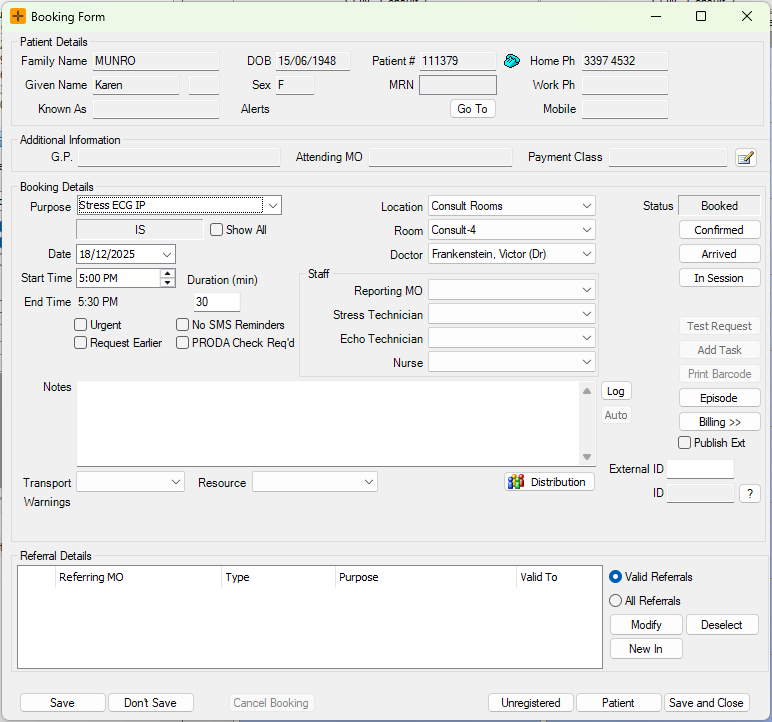
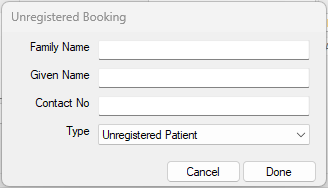
- In the Unregistered Booking dialog, populate the details as required.
- For example, you can enter the name of a company-wide meeting in the Family Name field.
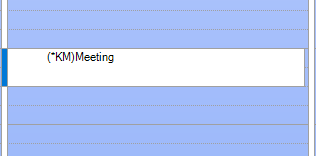
- The 'Unregistered' booking will show in the diary as displayed below.
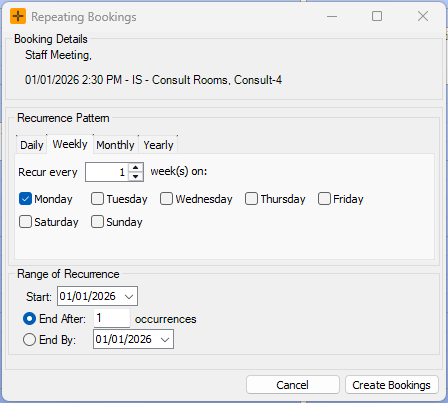
Unregistered bookings can also be made recurring by right-clicking the appointment in the diary and selecting 'Repeat Booking'. In the Repeating Bookings screen that displays, a recurrence pattern and range of recurrence can be set.
What an unregistered Booking can and can't do
An unregistered Booking is a placeholder in the Diary that is not linked to a patient record. Because there is no patient attached, some actions are not available until you register the Booking.
While a Booking is unregistered, you can:
- Move it through the normal booking statuses (for example booked, confirmed, arrived).
- Have it appear in and be arrived from the Waiting Room.
- Copy it and set it to repeat.
While a Booking is unregistered, you cannot:
- Create a Task against it. HealthTrack asks you to register the patient first.
- Quick bill it from the Diary.
- Attach a referral.
- Set up reminders or other communications for it.
- Add it to a booking distribution (interested parties) list.
- Enrol it in a program or service.
- Hold clinical records against it, as clinical records need a patient.
Any reminder or task that would normally be created for the Booking is held back while it is unregistered. When you register the patient, HealthTrack sends the reminder or task it was holding.
Registering the patient later
When the person becomes a patient, you do not need to recreate the Booking. Open the existing unregistered Booking and select Patient at the bottom right to choose an existing patient or add a new one. HealthTrack links the patient to the Booking, turns off the unregistered flag, and keeps the same Booking in place.