
Managing patients that requested an earlier Booking
When a patient already has an appointment booked but would like to be seen sooner if an earlier time becomes available, the Request Earlier checkbox in the booking form can be selected. Selecting it flags the booking so staff can find these patients later and offer them an earlier slot. For instructions on how to do so, see below:
- Create a booking for the patient.
For instructions on how to make a booking, review our How to make a booking article.
-
In the Booking Form, select the Request Earlier checkbox to flag the patient as wanting an earlier appointment.
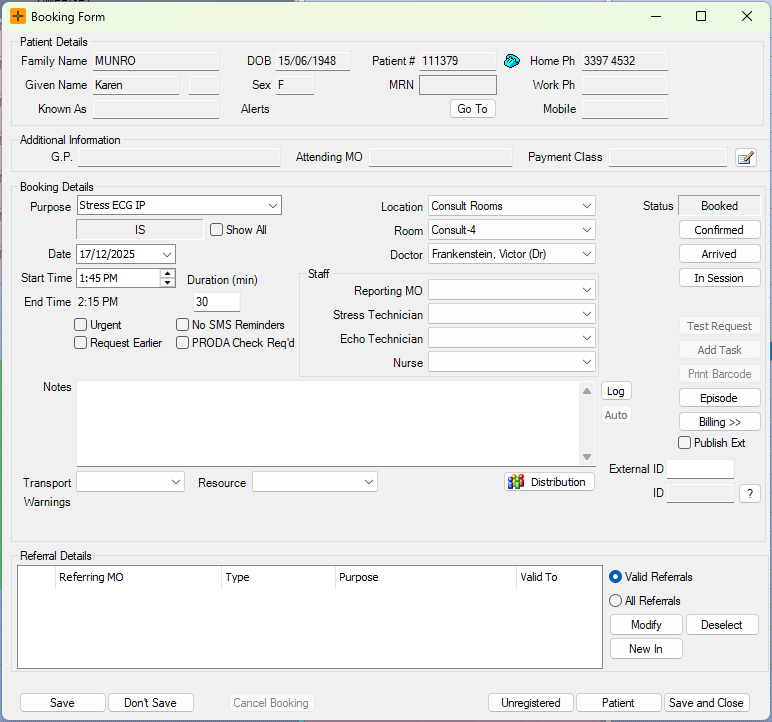
Request Earlier is a flag on the booking, not an automatic waiting list. HealthTrack does not match patients to freed slots and does not send an automatic SMS or email when an earlier time opens up. Finding and contacting these patients is a manual step, described below.
Finding Patients that requested an earlier Booking
Selecting the Request Earlier checkbox does not trigger anything on its own. When an appointment is cancelled and a slot opens up, staff can pull up the list of flagged patients and decide who to contact to fill the available time. This helps practices manage cancellations while offering earlier appointments to patients who have asked for them.
- Navigate to Practice Wide > Bookings.
-
In the All Patient Bookings screen, select the Requested Earlier button to narrow the list to patients who have flagged a request.
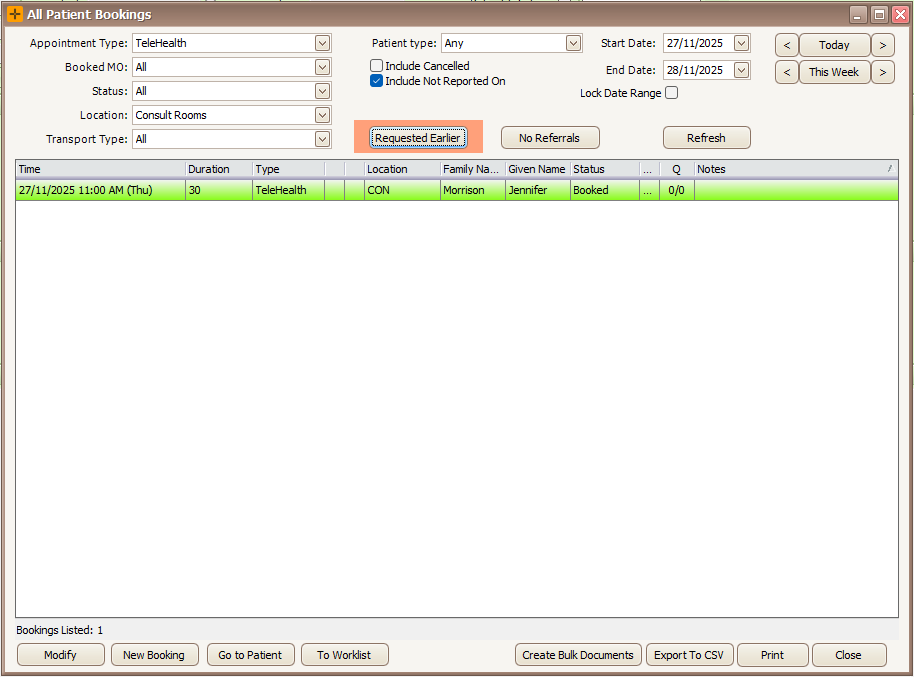
- To review a list of all patients who have requested an earlier Booking, select To Worklist or Export to CSV.
- Work through the list and contact patients by phone to offer the earlier time. If a patient accepts, reschedule their booking to the new time as you would for any other reschedule.
Things to keep in mind
- No automatic notification. Nothing is sent to the patient when a slot frees. Contacting patients is a manual phone workflow.
- The flag stays until you remove it. Rescheduling a patient to an earlier time does not clear the Request Earlier flag. Clear the checkbox on the booking once the request has been dealt with, so the patient does not keep appearing on the list.
- No preferences are captured. The flag only records that the patient would like to come in earlier. It does not store an earliest acceptable date, a priority, or a separate contact preference.