
How to find a list of cancelled Bookings
You can produce a list of cancelled bookings from the Practice Wide > Bookings screen, then print it or export it to a spreadsheet.
- Go to Practice Wide > Bookings.
- Update the filters as required.
-
Select the Show Cancelled Bookings checkbox.
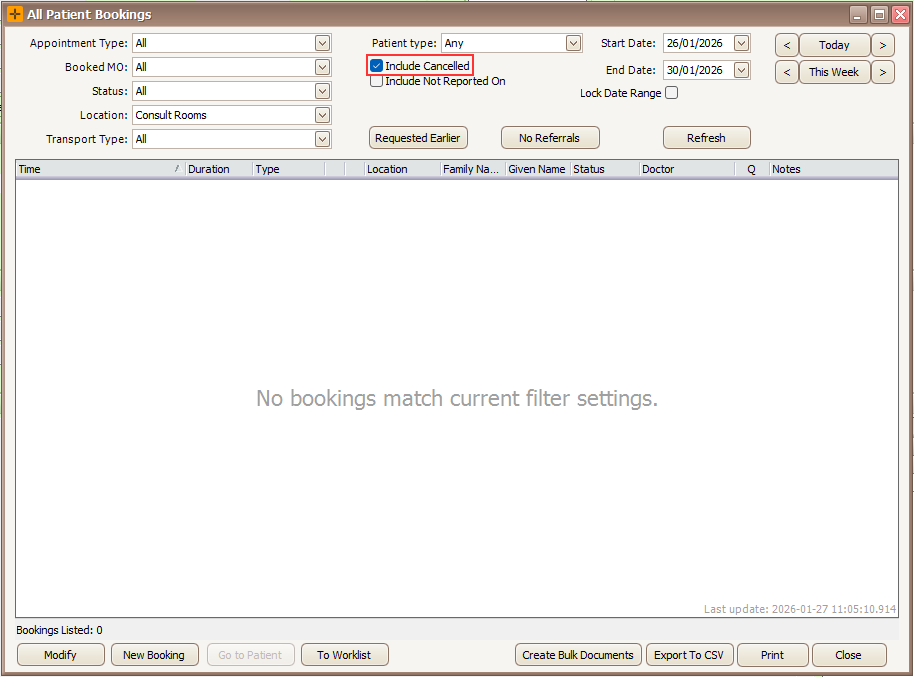
- Select Print or Export to CSV to download a spreadsheet of the results.
Selecting Print provides a summary of all cancelled bookings, as shown below.

Who cancelled a booking
When a booking is cancelled, HealthTrack records who cancelled it and the date and time it was cancelled. These details stay with the cancelled booking, and can be viewed in the Booking Audit History as the 'User deleted'.

Bookings that patients cancel themselves through online booking are recorded as cancelled by SYSTEM, not by a staff member. The patient's reason is kept with the cancellation. Before assuming a staff member cancelled an appointment, check the audit history.