Setting Up a New Doctor
Creating the Doctor as a New User
- Navigate to Admin > Security > Security & Permissions.
- Select Create New User and populate the required details.
- Select the Create Doctor checkbox to create a linked Doctor profile in HealthTrack.
- Select Save.
Always create the Doctor as a new user in HealthTrack via the HMS Security Groups Manager, before adding them to Internal MO.
The linked user account is what lets the doctor log in, dictate, electronically sign and electronically prescribe. A Doctor profile with no linked user can still be booked and billed, but the practitioner cannot do any of those things until a user is linked.
Internal MO
- Navigate to Admin > Internal MO > Manage Internal MOs.
-
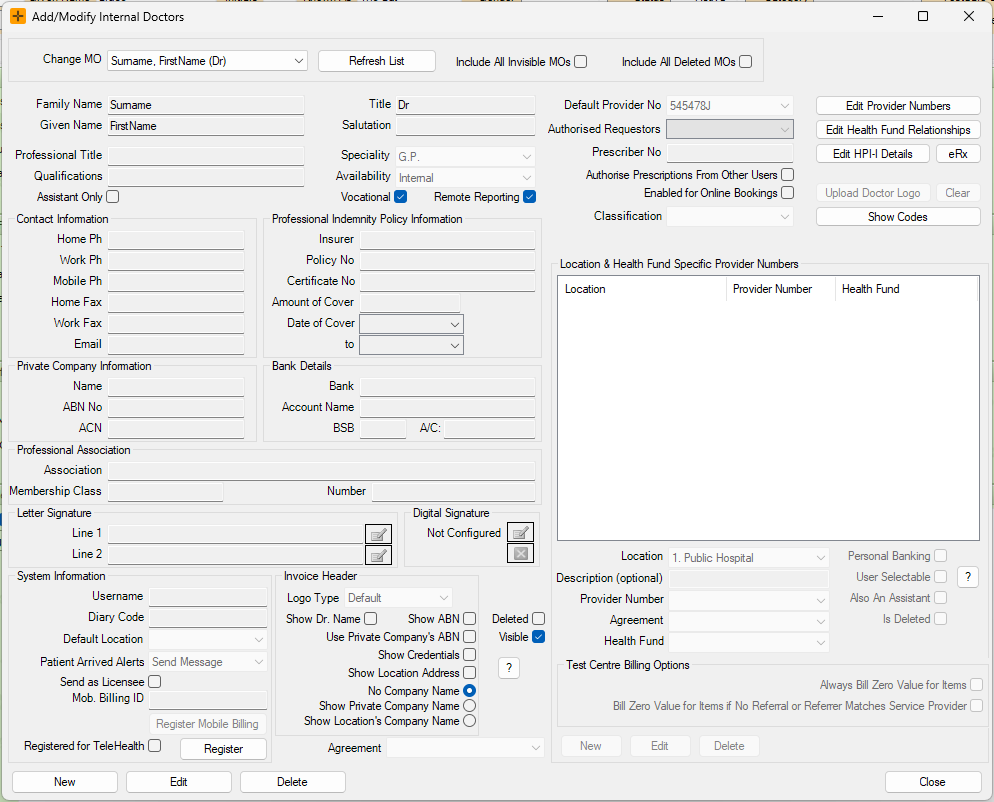
In the Add/Modify Internal Doctors screen for the new doctor, enter relevant details (i.e. contact information, signature etc.).
Adding Provider Numbers
- Select the Edit Provider Numbers button to help capture all provider numbers for the doctor.
- This will bring up the Add/Modify Doctor Provider Numbers screen.
- To add a new provider number, select the Add button, enter the provider number and select Save.
HealthTrack will validate the provider number and a green tick will appear in the 'Validity' column if it is valid.

-
Then, under the Location & Health Fund Specific Provider Numbers section, select Edit and then New to populate the fields.
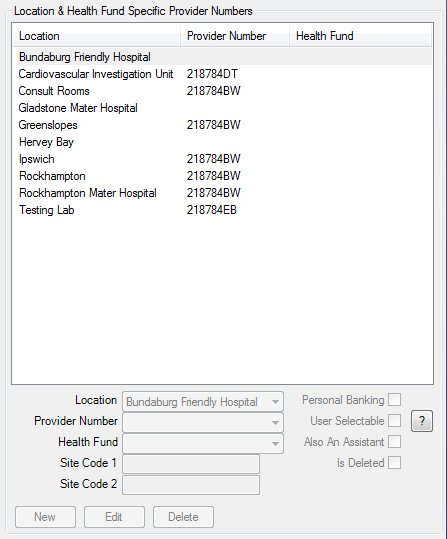
A provider number is also what makes the doctor appear in the diary. A new doctor does not show in any diary until at least one provider-number row links them to a location. For a doctor to be bookable, all of the following need to be true: the doctor is an internal practitioner, they are set to visible, they are not deleted, and they have a provider-number row for the location.
If a new doctor is missing from the diary, a missing location provider-number row is the most common cause.
Adding Prescriber Number
- Select Edit and enter the Prescriber Number.

Enabling electronic prescribing
Electronic prescribing is turned on for a doctor from the electronic prescribing (eRx) details on the Add/Modify Internal Doctors screen.

Before it will let you enable electronic prescribing, HealthTrack checks the following, in order, and stops at the first one that is not met:
- The doctor has a linked user account with a current system password. Even at sites where users normally sign in through Windows or another single sign-on, the doctor still needs a HealthTrack system password set, because electronic prescribing re-authenticates the user.
- An HPI-I (the doctor's individual healthcare provider identifier) is recorded against the doctor.
- The doctor's name has been saved.
- A prescriber number has been entered.
- The doctor's qualfications have been entered.
In Western Australia, only a user who is set up as an E-Prescribing Administrator can turn a doctor's electronic prescribing on or off, and each change is recorded in the audit log. This is a Western Australian requirement and does not apply in other states.
If you remove the prescriber number or the HPI-I from a doctor who already has electronic prescribing turned on, HealthTrack will prompt you and, if you confirm, will turn their electronic prescribing off. If a practice reports that electronic prescribing stopped working after a doctor's details were edited, a cleared prescriber number or HPI-I is a common cause.
At On-Prem sites that use Windows authentication, turning on electronic prescribing for a doctor means that doctor is then prompted for their HealthTrack credentials at login rather than being signed in automatically.
Health Fund Relationships
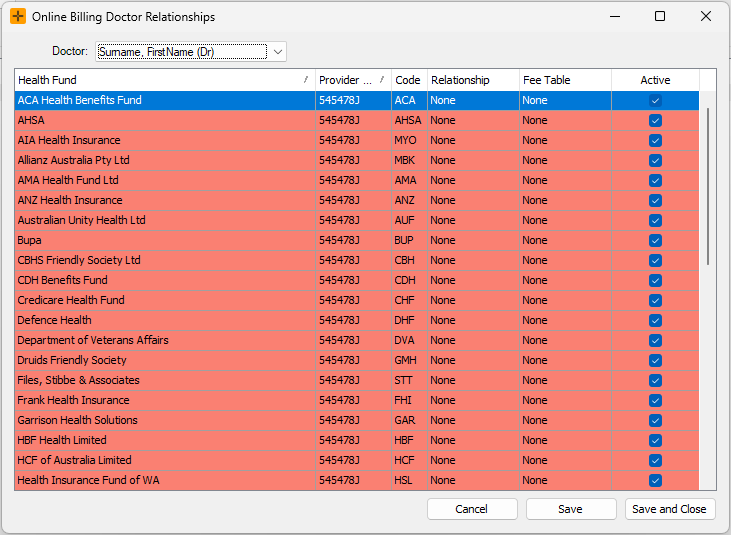
- Select the Edit Health Fund Relationships button on the right-hand side of the screen to bring up the Online Billing Doctor Relationships screen.
-
Select the Doctor from the drop-down list and set the relationship for each Health Fund (i.e. scheme).