
Auditing My Health Record activity
All interactions with My Health Record are audited, including document uploads, removals, views, and any use of Emergency Access. The audit gives administrators a complete record of My Health Record activity at the practice, so you can confirm what happened and see which users were involved.
Open the audit
Go to Admin > Digital Health Auditing > My Health Record Audit.

Use the audit view
The audit opens as a list of events, most recent first. Each row shows when the event happened, the user who performed it, the action, and whether it succeeded.
You can narrow the list using the filters at the top of the screen:
- Date range to focus on a period.
- User to see the activity of one staff member.
- Event service to show only a particular type of event (for example, downloads or removals).
- Status to separate successful events from those that returned an error.
Use Refresh to apply your filters. Long result sets are shown a page at a time.
What the audit covers
The audit records every My Health Record interaction, including:
- Requests for access to a patient's My Health Record, and any use of Emergency Access.
- Checks for whether a patient has a My Health Record.
- Viewing the list of documents in a record, and viewing a document's history.
- Downloading a document from My Health Record.
- Uploading a document to My Health Record.
- Removing a document from My Health Record.
- Automatic uploads and transfers of documents.
Both successful actions and actions that returned an error are recorded, so you can tell whether an upload or removal completed.
Use the audit to:
- Review any use of Emergency Access.
- Confirm a document was uploaded or removed successfully.
- Track which users have accessed a patient's My Health Record.
Auditing Healthcare Identifier (IHI) lookups
My Health Record relies on each patient's Individual Healthcare Identifier (IHI). HealthTrack keeps a separate record of every Healthcare Identifier lookup, which is useful when you need to confirm a patient's IHI was verified, or trace when an identifier last changed.
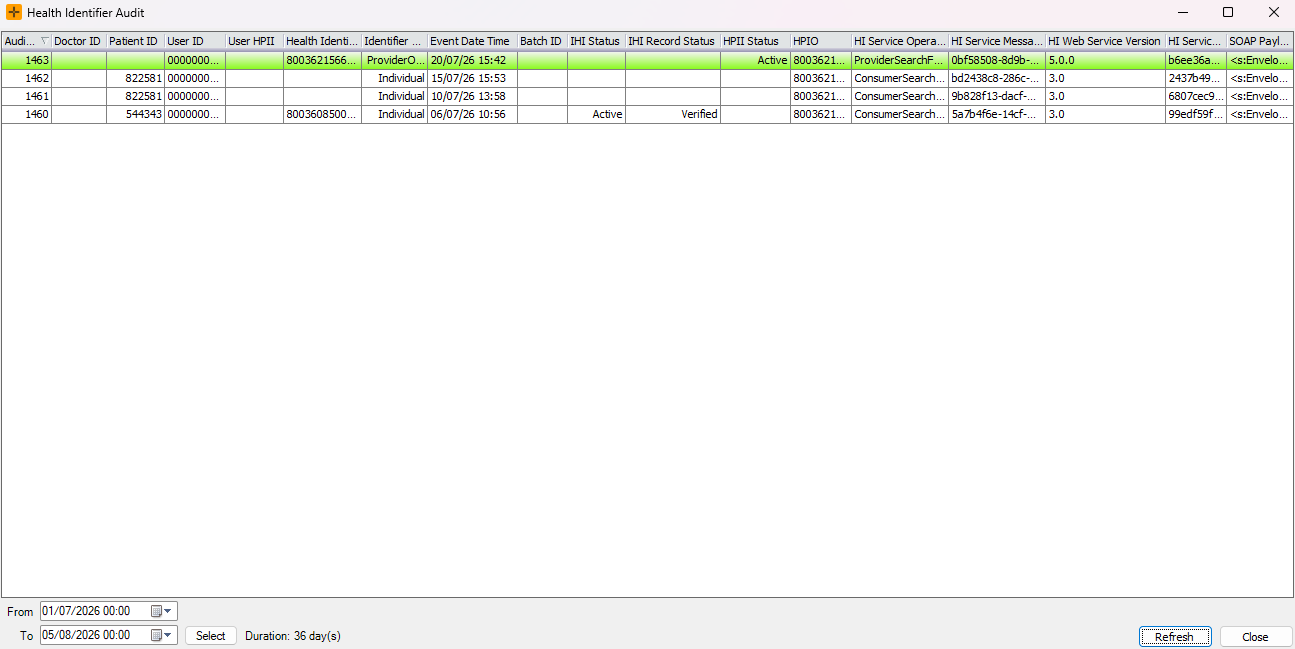
This screen can be accessed via Admin > Digital Health Auditing > Health Identifier Audit. This view lists the identifier lookups performed for a patient, showing the date and time, the user, and the outcome of each lookup. Use it to check when a patient's IHI was last verified and by whom.
The default time period displayed is 2 weeks; This can be updated by changing the date filters at the bottom of the screen, and pressing Refresh.
Both the My Health Record Audit and the Healthcare Identifier audit are read-only. You can view and filter records but you cannot change or delete them. Audit records are retained so that historical activity remains available for review.